Search Knowledge Base Articles
Rate List
Step 1: Open The Website
HMS: hms.itbshub.com Click The Login Button
HMS PRO: Open Your Domain & Click The Login Button
Step 1.2: login with branch credential email & password
Step 2 Manage Rate List: HMS is ready to use software and comes with a preadded rate list you can customize the rate list as per your wish
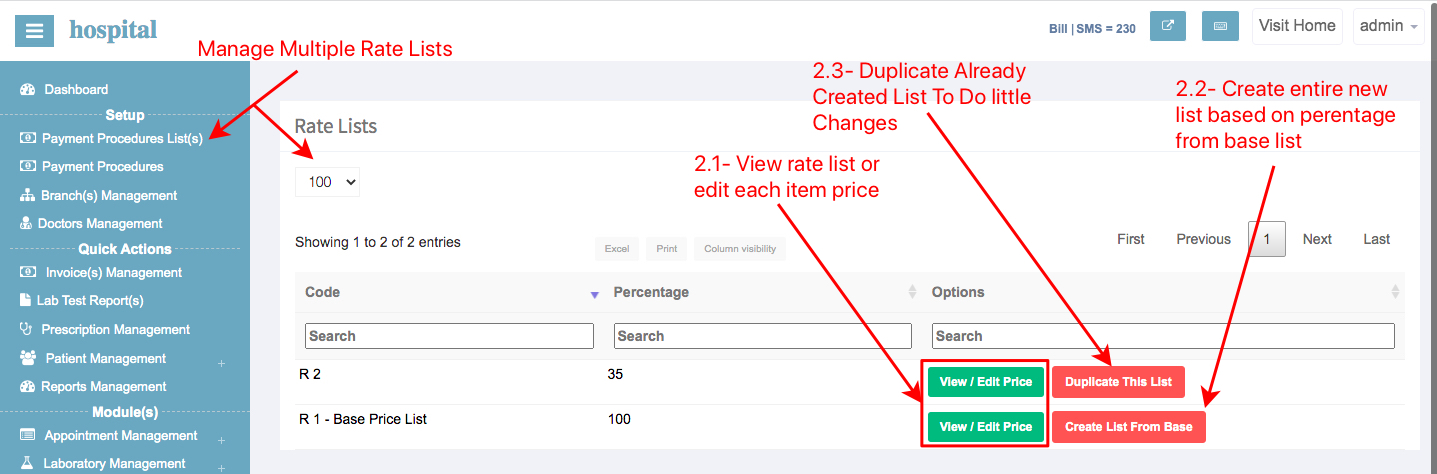
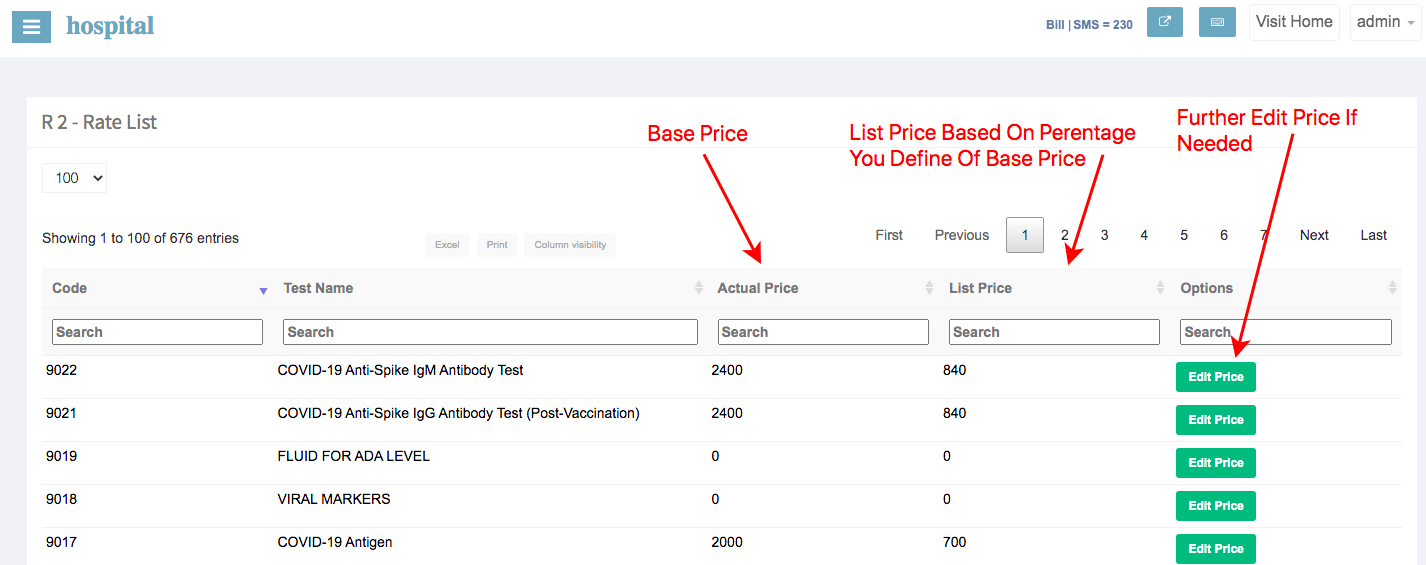
2.1: View / Edit Rate List Price: You can view a specific rate list to edit any item price from the rate list.
2.2 - Create New List: You can copy any list to create a new list from, simply add a percentage of the price you want from the base list to create another rate list the name of the list will be automatically increment R+

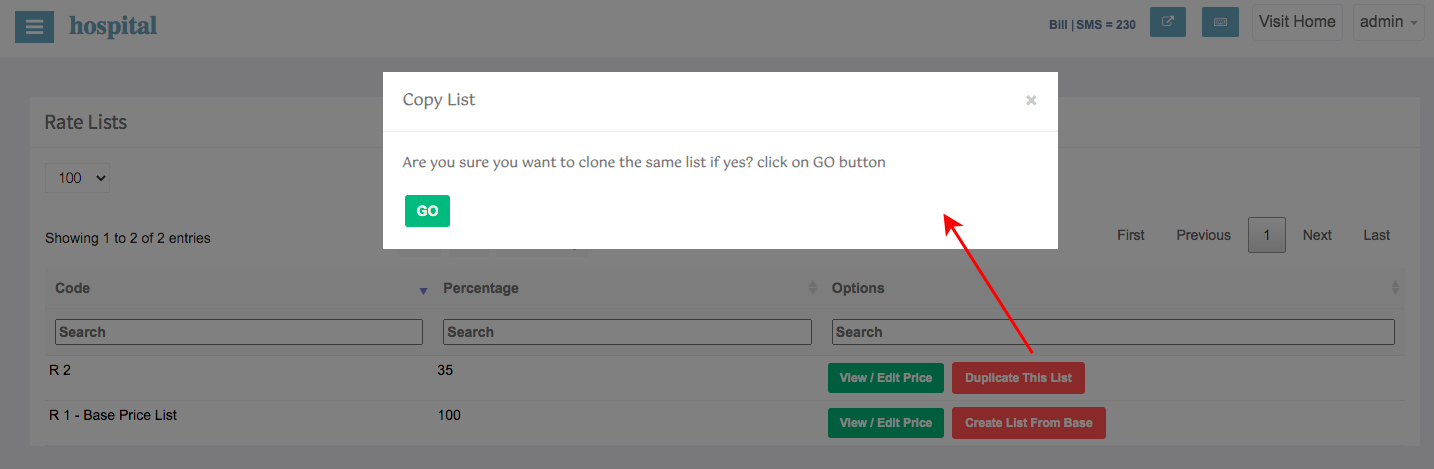
2.3 - Clone Any Rate List: Use the clone feature to create a duplicate list from any rate list
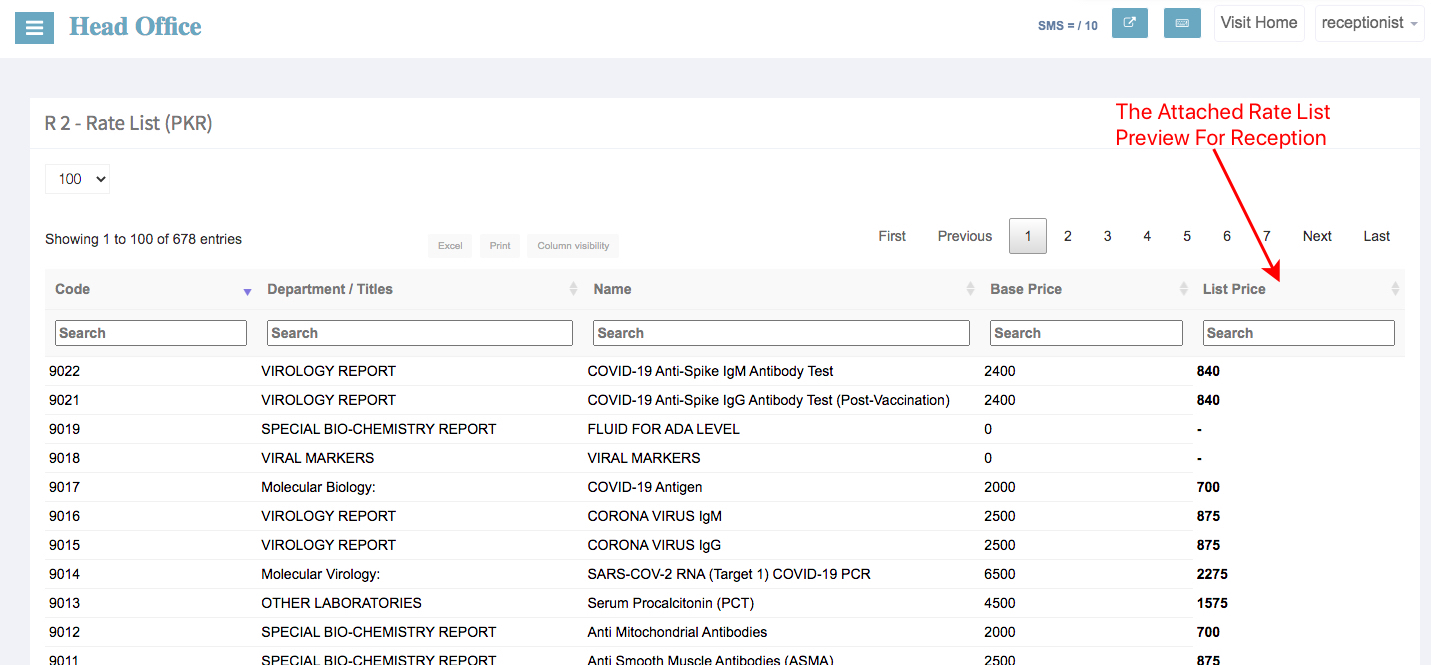
2.4 - View Rate List Attached On Branch / Collection Center Reception: Here is a preview of the rate list after the attachment of rate list
HMS: hms.itbshub.com Click The Login Button
HMS PRO: Open Your Domain & Click The Login Button
Step 1.2: login with branch credential email & password
Step 2 Manage Rate List: HMS is ready to use software and comes with a preadded rate list you can customize the rate list as per your wish
2.1: View / Edit Rate List Price: You can view a specific rate list to edit any item price from the rate list.
2.2 - Create New List: You can copy any list to create a new list from, simply add a percentage of the price you want from the base list to create another rate list the name of the list will be automatically increment R+
2.3 - Clone Any Rate List: Use the clone feature to create a duplicate list from any rate list
2.4 - View Rate List Attached On Branch / Collection Center Reception: Here is a preview of the rate list after the attachment of rate list